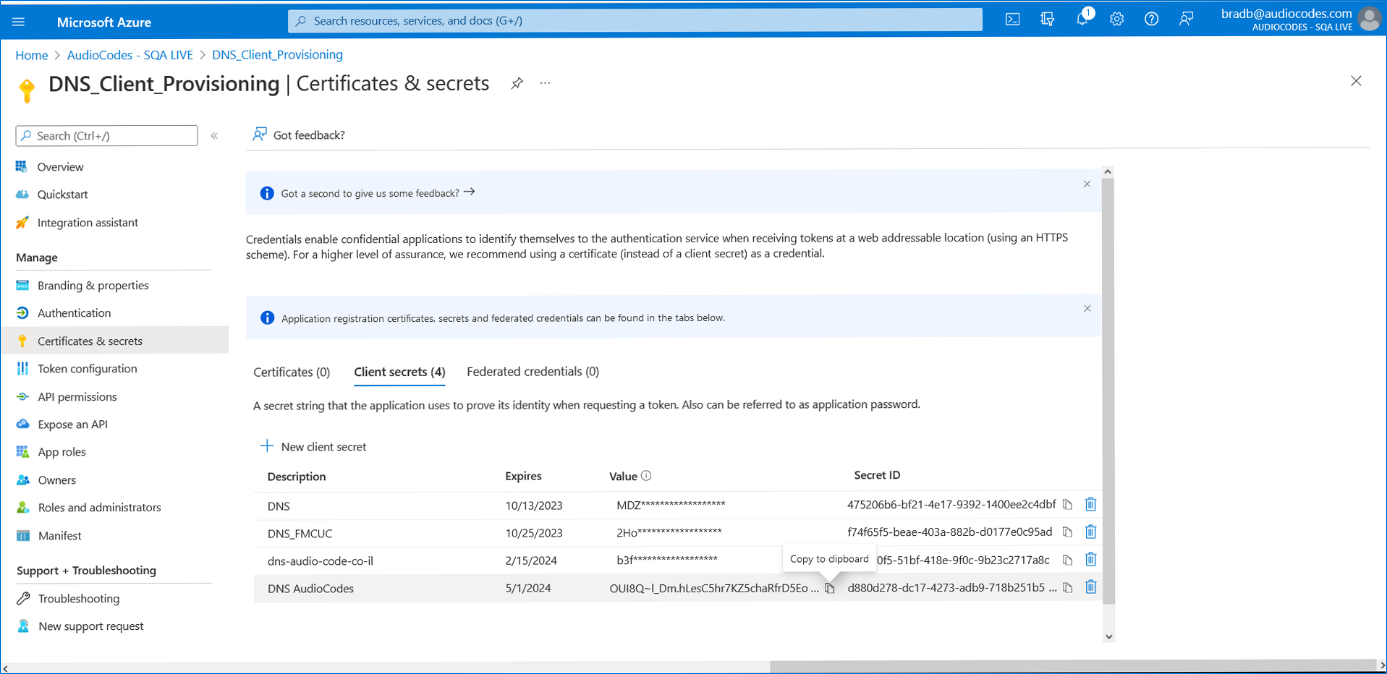
Registering DNS Application (Service Provider Tenant)
The DNS registration for the Service Provider tenant includes the generation of a Client Secret that is only displayed once. It should be captured and saved for later configuration in the Multitenant interface.
| ➢ | To register the DNS domain: |
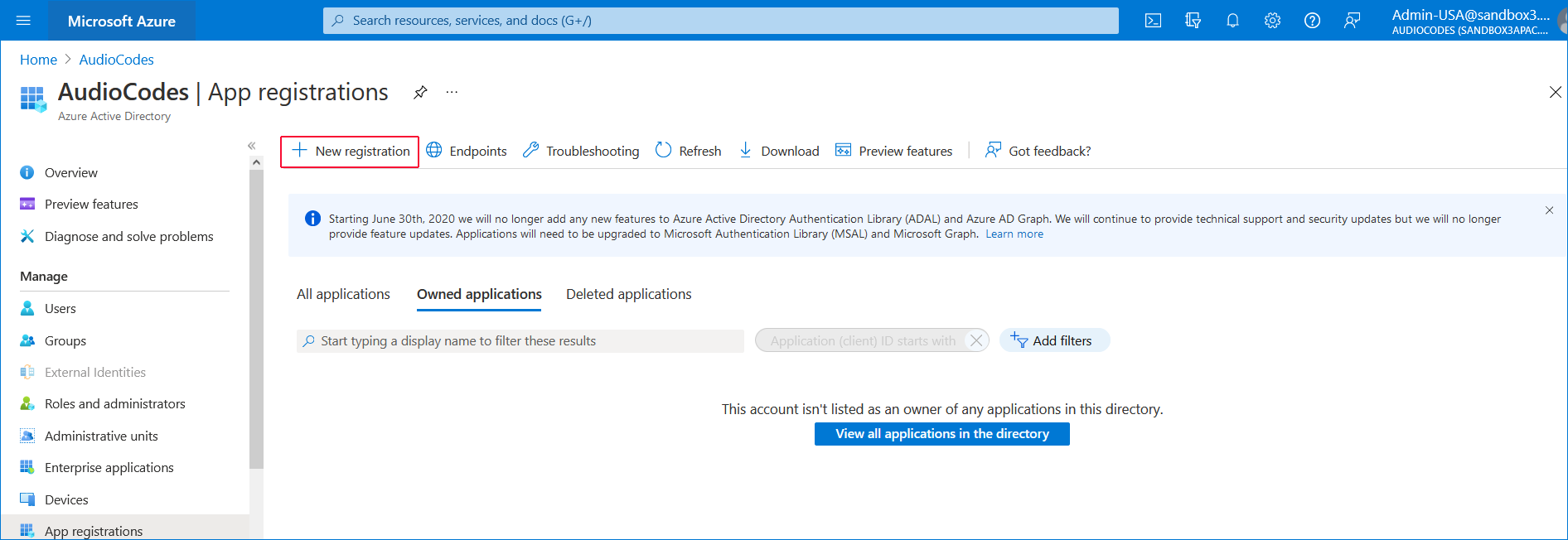
| 1. | In the Navigation pane, select App registrations and then click New registration. |
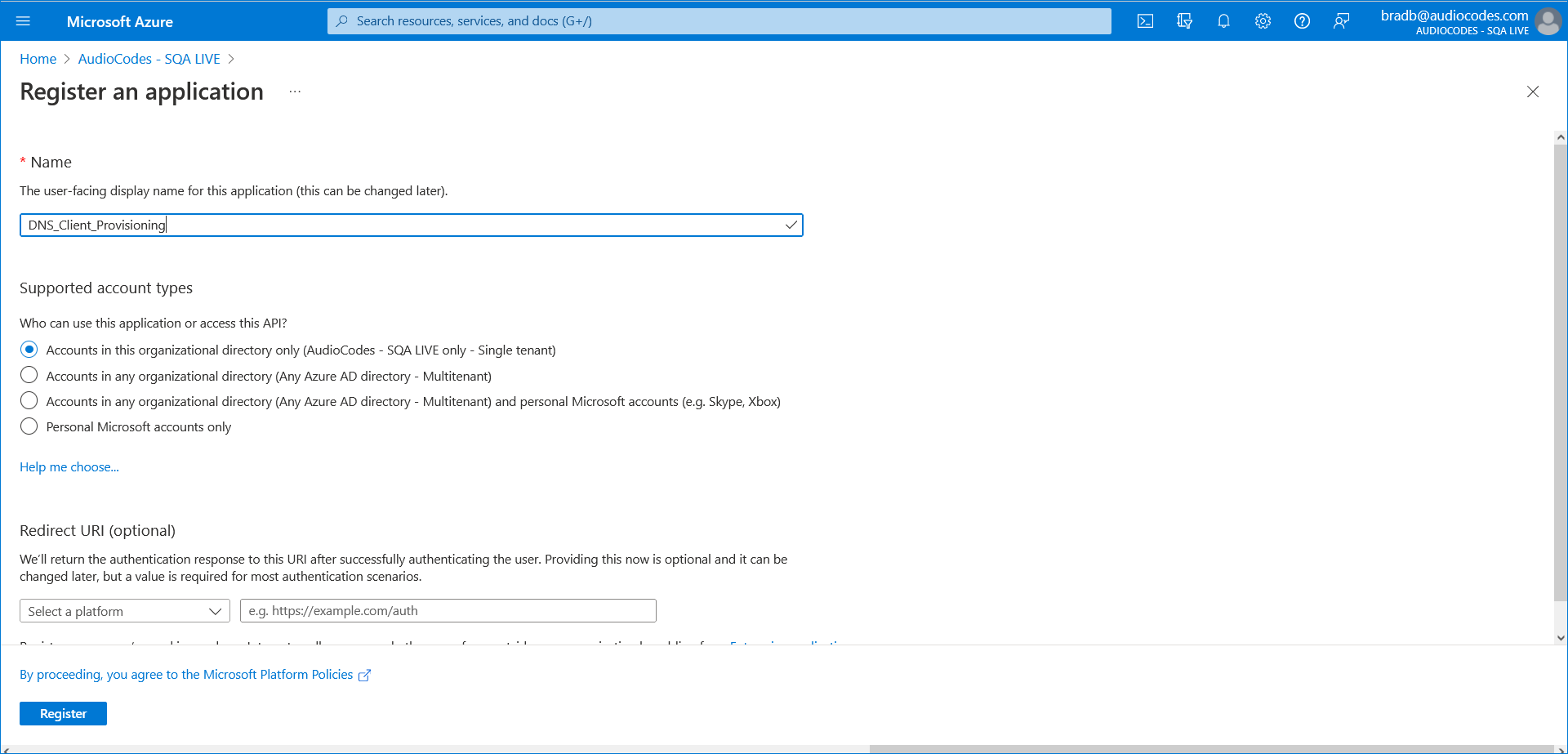
| 2. | Enter the name of the new registration e.g. DNS_Client_Provisioning and then click Register. |
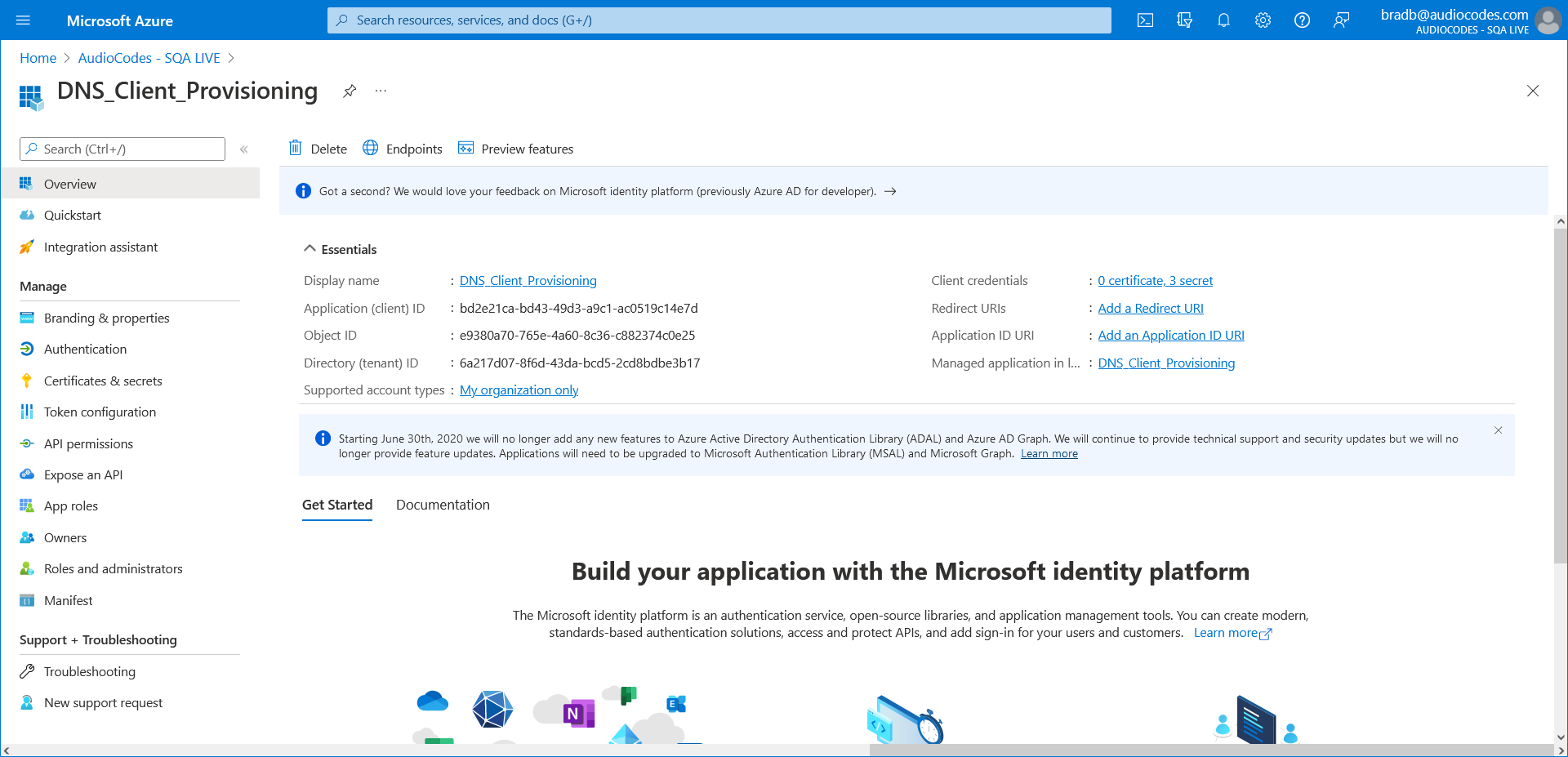
A new registration is created.
| 3. | In the Navigation pane, select App registrations. The new registration is listed. |
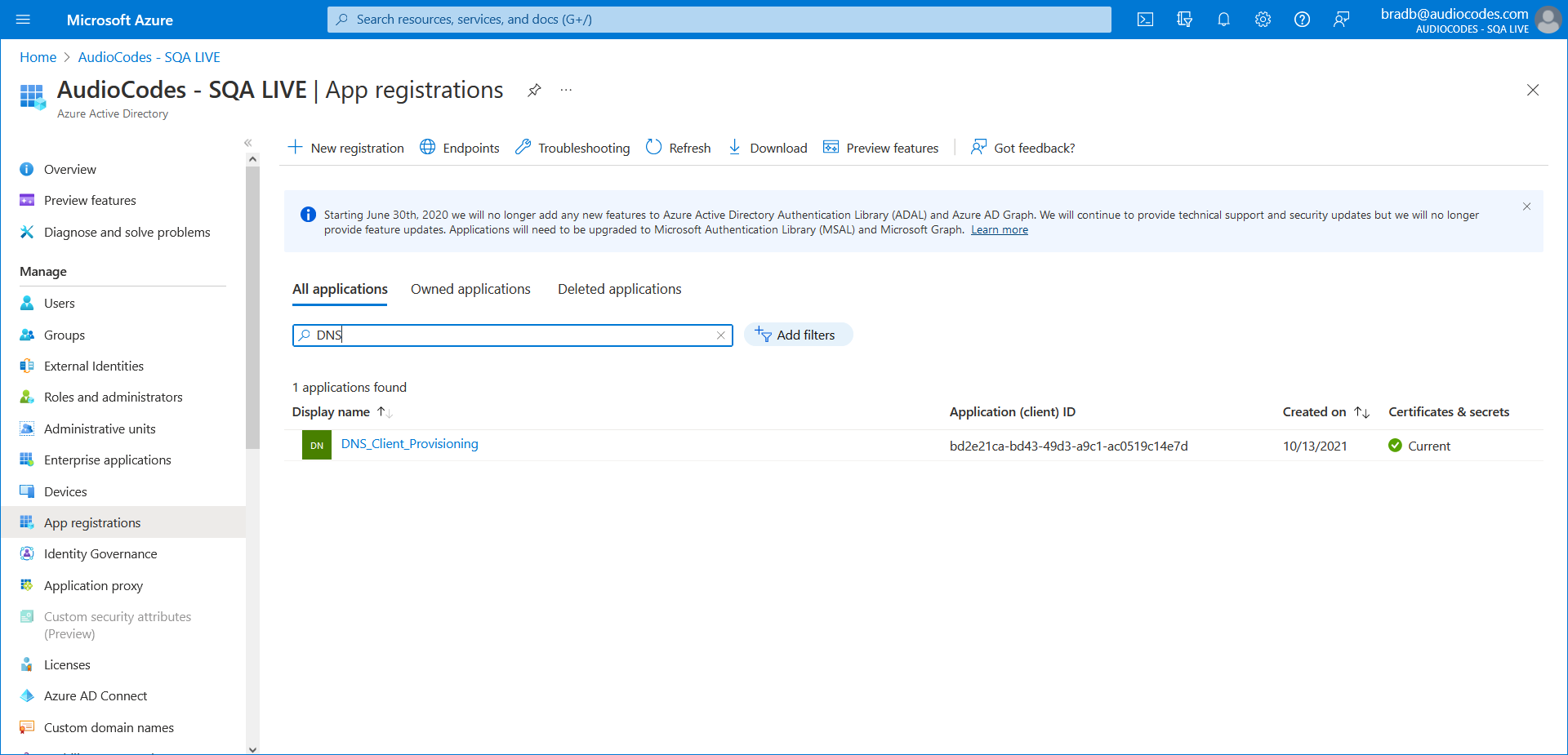
| 4. | Click the new registration (Dns_Client_Provisioning) and then in the Navigation pane, select Authentication. |
| 5. | Under Advanced Settings, select No to disable mobile and desktop flows. |
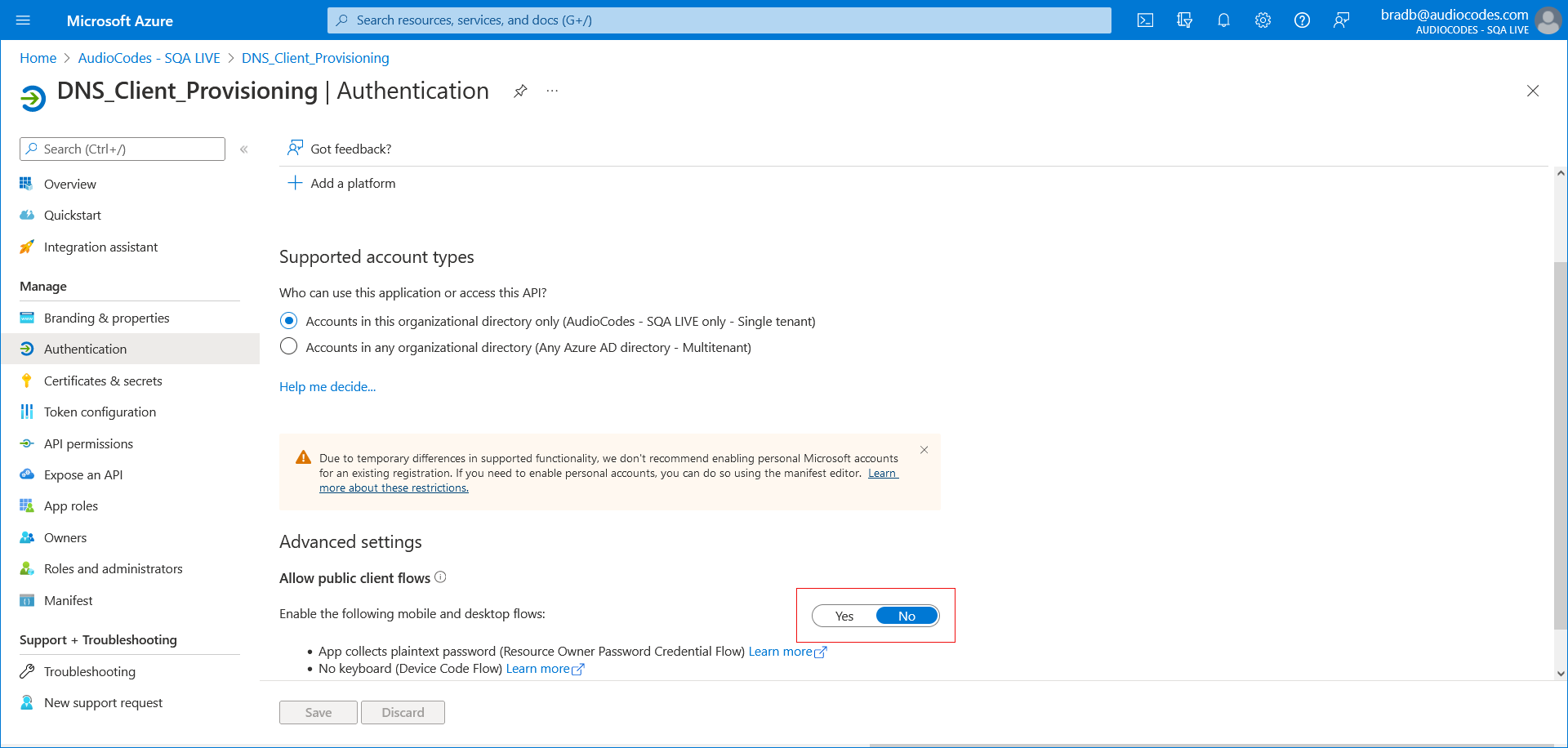
| 6. | Click Save. |
| 7. | In the Navigation pane, select Certificate & secrets. |
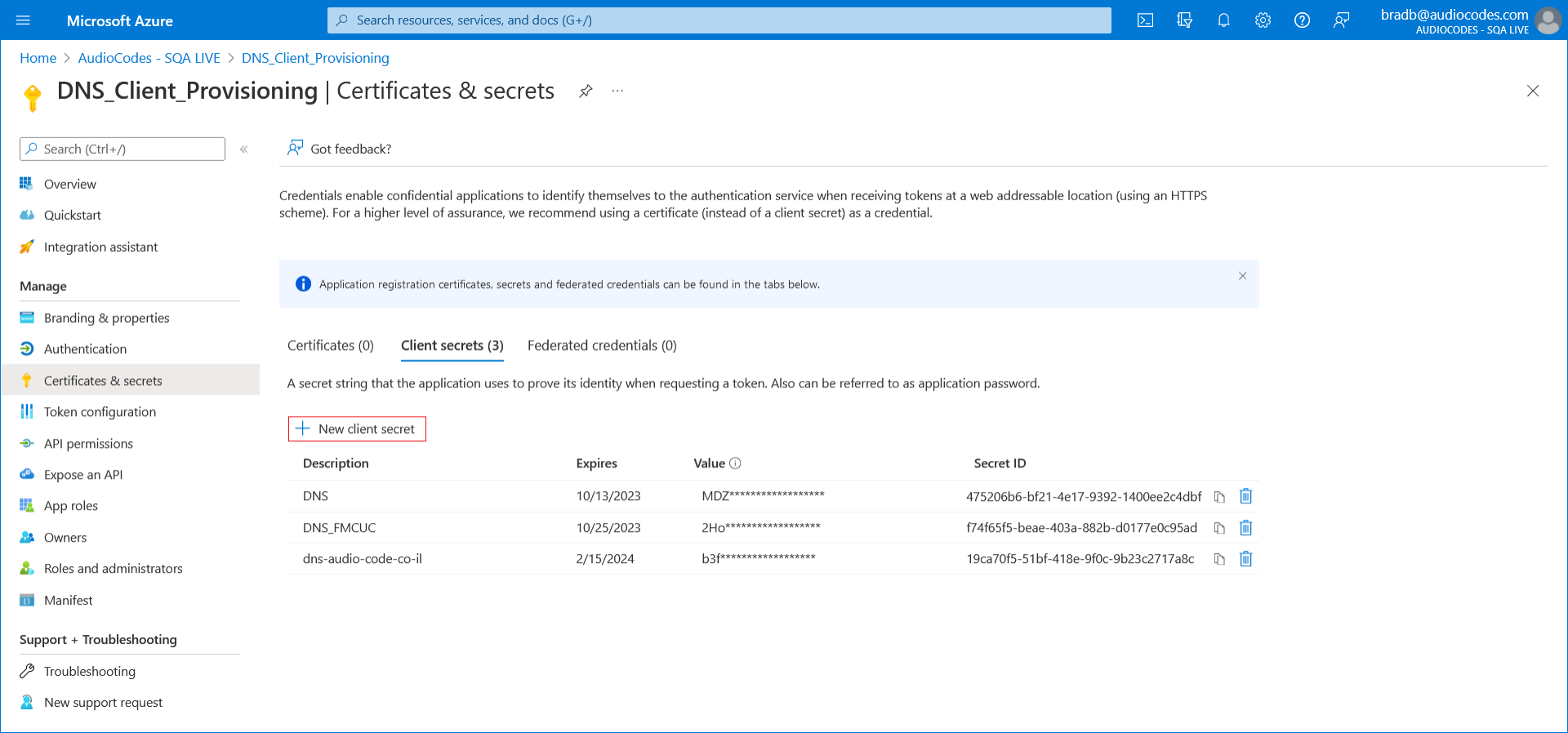
| 8. | Click New client secret. |
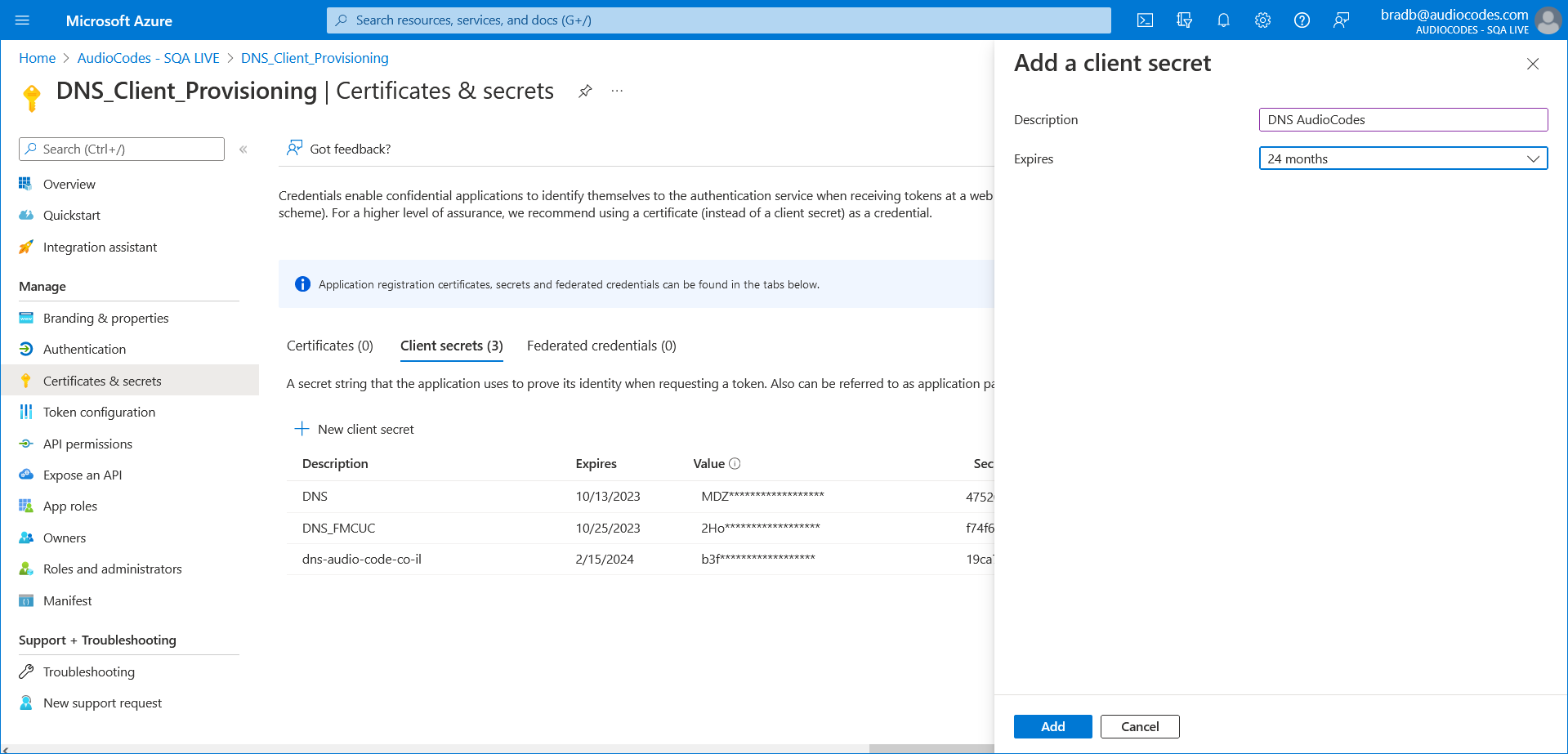
| 9. | Enter a description, Set the Expires field to 24 months and then click Add. |
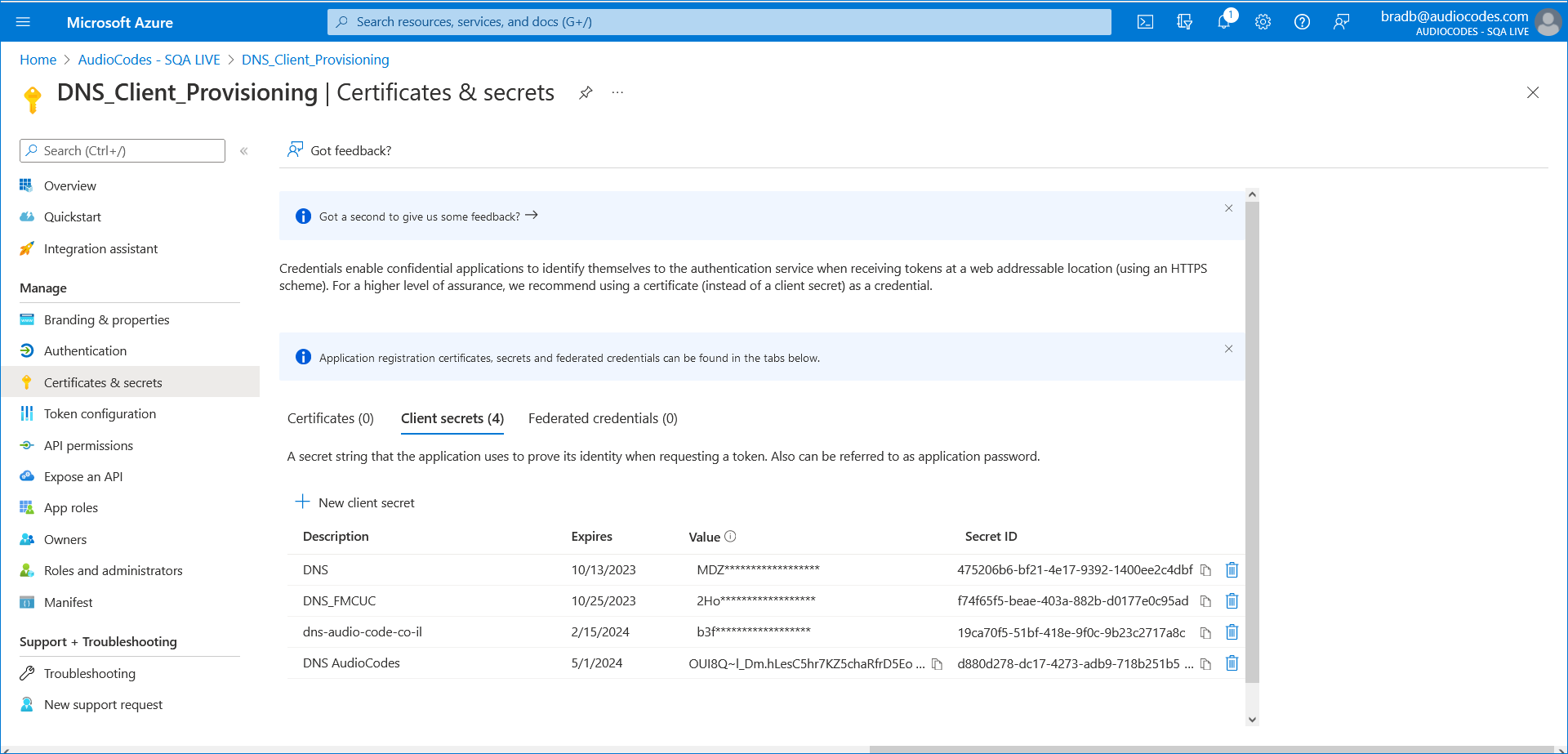
| 10. | Copy the Value to notepad as it must later be configured in the UMP interface. |